SiiPet
Pawtrack 4K Pet Camera with Auto Tracking, 360° Pan/270° Tilt, Behavior Alerts & Smart Pet Vlog & Two-Way Audio, Privacy Mode, Multi-Pet ID, 1080P Daily Recording Smart Pet Monitor
Pawtrack 4K Pet Camera with Auto Tracking, 360° Pan/270° Tilt, Behavior Alerts & Smart Pet Vlog & Two-Way Audio, Privacy Mode, Multi-Pet ID, 1080P Daily Recording Smart Pet Monitor
Couldn't load pickup availability
Product description
SiiPet PawTrack Pet Camera
SiiPet PawTrack Pet Camera
Auto-Captured Pet Moments
Capture your pet’s key moments automatically in clear 4K Dual Recording, intelligently sorted with Smart Behavior Tags, and neatly saved as a Daily Pet Vlog for easy viewing.
See Every Corner of Their Day
With PawTracking, the camera follows only your pet, capturing their movements throughout the day—so you never miss a moment, even when they slip behind the furniture.
SiiPet PawTrack Pet Camera
SiiPet PawTrack Pet Camera
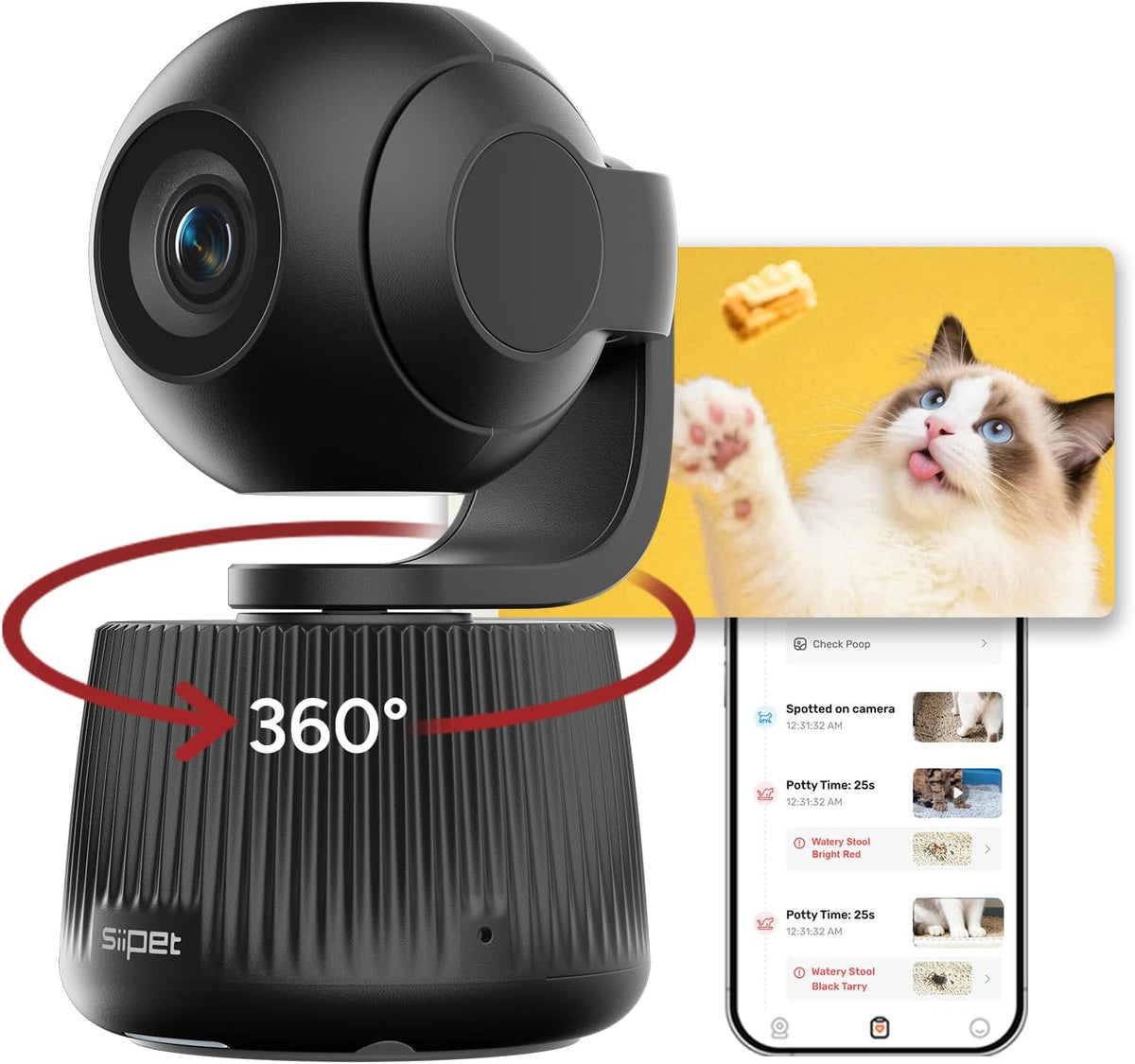
360° Pet Tracking
Automatically follows your pet with a full 360° spin and 270° tilt.
Early Wellness Alerts
Wellness Watch tracks key behavior changes—like limping, excessive scratching, or unusual movement—and sends instant alerts for early attention.
2-Way Audio
Check in anytime with real-time 1080p live streaming and two-way audio to comfort your pet from anywhere.
-
How to talk with your pets when you're away from home?
1. Open the real-time page within the SiiPet APP.
2. You will see the microphone button on the landscape screen. Locate and click the call button to initiate a remote conversation with your pets.
-
How to view highlight clips of different pets?
You can go to the top of the "Memories" page, click on the pet's avatar, and switch between different pets.
-
How to share your device with friends?
1. Open Settings in the SiiPet APP.
2. Tap Device Sharing.
3. Share the invitation link (check the expiration date).
4. Make sure invitees have downloaded SiiPet and created an account before accepting.
-
Why does the camera get hot?
During continuous operation, it is normal for the camera to generate heat. Please use it with confidence.
-
How to put the camera into sleep mode?
1. Real-time Preview: Toggle the switch off on the live view to put the camera into sleep mode.
2. Scheduled Sleep Mode: In the SiiPet app, select the camera → Settings → Scheduled Sleep Mode, then set on/off times for automatic sleep.
- 360° Pet Tracking: PawTrack automatically follows your pet—not people—with a full 360° spin and 270° tilt. SmartFrame AI keeps them centered in every shot, ensuring you never miss a moment, whether they're playing, exploring, or resting.
- Auto-Captured Pet Moments: PawTrack pet camera records adorable behaviors in crisp 4K and saves daily footage in 1080p. Every clip is auto-tagged by behavior, creating a smart, searchable vlog so you can relive and understand your pet’s day in seconds.
- Early Wellness Alerts: Wellness Watch monitors key behavior signals—including limping, excessive scratching, or unusual movement—and sends instant alerts to help you notice early signs that may need attention.
- Multi-Pet Tracking: Tracks up to 5 pets individually with Pet ID+, assigning behaviors and clips to the correct pet. Perfect for multi-pet households that want clear insights without mixing up activities.
- 2-Way Audio & Privacy Mode: Check in anytime with real-time 1080p live streaming and two-way audio to comfort your pet from anywhere. When you want privacy, simply enable Privacy Mode—the camera tilts down and stops recording instantly.
Share